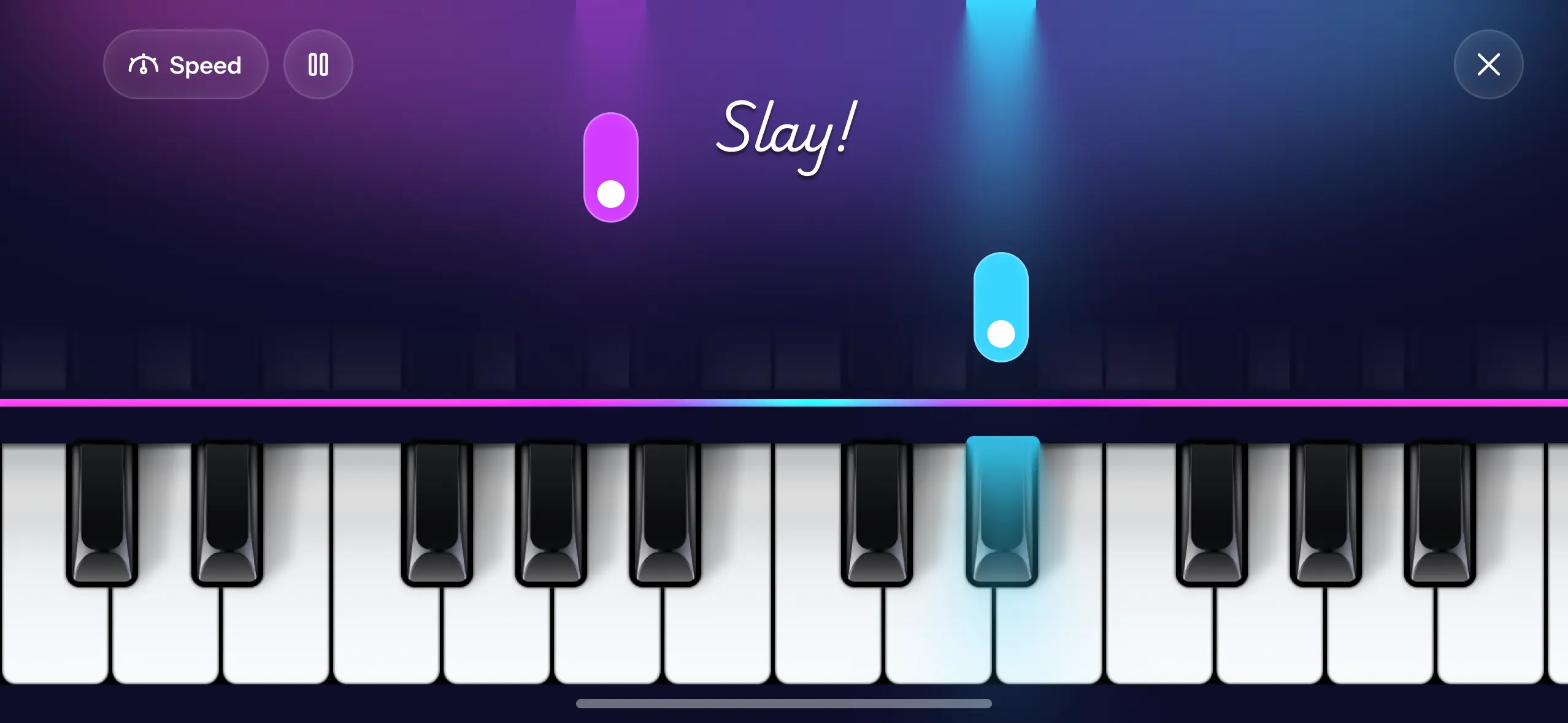
Tap-along piano apps show notes falling down the screen towards a line, and you press the matching key as each one lands. That is the whole mechanic. There is no notation to decode and no lesson to sit through, so you are playing a recognisable song within about a minute of opening the app. It works well for timing and for learning where notes live. It does not teach you to read music, and the free catalogues are built from copyright-free songs rather than current chart hits.
That last point is the one nobody puts in the app description, so let's start there.
Which songs can you actually play by tapping?
If you are picturing this week's chart, adjust. Licensing pop music for an interactive app is expensive, so the apps that hand you a big pop catalogue charge a subscription for it, and even then the list is smaller than you expect.
What free apps run on instead is music that is out of copyright. That sounds like a downgrade until you look at what is in there. In Piano Aura's Piano Game, the catalogue includes Korobéiniki, which almost everyone knows as the Tetris theme, plus In the Hall of the Mountain King, Carol of the Bells, Wellerman, Misirlou, Bella Ciao and House of the Rising Sun. There are the Kevin MacLeod tracks that soundtracked half the internet, including Sneaky Snitch and Monkeys Spinning Monkeys. On the classical side there is Für Elise, Moonlight Sonata, Canon, Air on the G String and The Flight of the Bumblebee.
None of those are current pop songs. All of them are music people actually recognise, which is the thing that keeps you practising. The library grows as new songs ship, and the app groups them into playlists so you are picking from a mood rather than scrolling an alphabet.
What tapping actually teaches you
It teaches three real things.
Timing comes first, because the mode is unforgiving about it in a useful way. You learn to feel a beat and place a note inside it, which is exactly the skill that separates a beginner who sounds shaky from one who sounds steady.
Second, you learn where notes live. After a few songs your hand starts going to roughly the right place before your eyes catch up. That is muscle memory forming, and it transfers to a real keyboard.
Third, you learn a song's shape: where it climbs, where it repeats, where the tricky bar is. That is the melody-line skill people are usually after when they search for a tapping app.
What it does not teach is sight-reading, fingering, or dynamics. A falling block does not tell you which finger to use or how hard to press. Any app that implies otherwise is overselling. If you want the fuller picture of what transfers, playing piano without reading sheet music covers both routes.
How to use the mode so it actually works
Slow it down first. This is the whole trick and most people skip it. Piano Game has speed settings from 0.5x up through 1.5x and Max, and difficulty levels of Easy, Medium and Hard. Start a new song on Easy at 0.75x or 0.5x, get through it cleanly, then raise one setting at a time.
Playing at full speed on day one means missing half the notes, which feels like evidence that you have no talent. It is evidence that you picked the wrong speed.
Then, once a song is clean, try it once without the falling notes on the Freestyle keyboard. Whatever you can still play is what you actually learned. Whatever vanishes was you following prompts, which is fine, it just means the song needs another pass.
What about chords?
Tapping is built around melody lines and individual notes, so it is a weak way to learn chord theory. You will play chords in songs without necessarily understanding why those notes belong together.
If chords are the goal, build them deliberately instead. Piano Aura's Chord Builder lets you pick a root, a quality like major or minor or sus4, variations such as add9 or maj7, and a bass note for slash chords, then play the result to hear it. Ten minutes there teaches more about chord construction than an hour of tapping will. The beginner guide sets out where each fits.
FAQ
Which app lets you play pop songs by tapping? The apps with licensed pop catalogues are the paid ones, and their libraries are still limited. Free apps, including Piano Aura, use copyright-free music: classical, folk, and well-known public-domain tunes. If a free app claims a full chart catalogue, check what is actually in it before subscribing.
Is a tapping app good enough to learn piano properly? It is good enough to start, to build timing, and to keep you coming back. For technique, posture and reading, add real keys and ideally some teaching. How long it takes to learn piano sets realistic expectations by stage.
Is it suitable for kids? It is usually the format children take to fastest, because it looks like a game and gives feedback immediately. Piano apps for kids covers what to look for and where these apps stop.
Do I need a MIDI keyboard for a tap app? No. Tap modes are designed for a touchscreen. Piano Aura is played directly on an iPhone or iPad and does not connect to a MIDI keyboard.
What should I play first? Something you already know by heart, so your ear can tell you when you are wrong. Twinkle Twinkle, Ode to Joy and Jingle Bells are all in the starter playlist. Easy piano songs for beginners has more.
Pick one song you know, drop it to half speed, and get it clean before you touch the tempo. Piano Aura is free on the App Store if you want somewhere to try that tonight.
Kevin MacLeod tracks are used under a Creative Commons Attribution licence.