If you are choosing between Simply Piano, flowkey, and Yousician, the honest answer is that all three are good, and they are more alike than the marketing suggests. They are all subscription lesson apps that teach piano through a structured path and listen to what you play. The real question is not which is best, it is which one matches how you actually like to learn. Here is how they differ, and when none of them is what you want.
The short version: Simply Piano is the gentlest start for a complete beginner, flowkey is the one to pick if a specific song is your reason for learning, and Yousician suits people who practise best when it feels like a game. If you are only weighing two of them, the head-to-head answers come first.
Head to head: the pairings people actually compare
Most people are not choosing between three apps. They have already narrowed it to two. These are the straight answers for each pair.
Simply Piano vs flowkey: which is better?
Pick Simply Piano if you are starting from nothing and want to be told exactly what to do next. Pick flowkey if there is a particular piece you want to play and you would rather watch a pair of hands play it, slowed down and looped, than work through lessons in order. Simply Piano is the better teacher of fundamentals; flowkey is the better route into a song you already love. One practical check before you pay for flowkey for one song: licensed songs in any app's catalog can come and go as licences change, so confirm the piece is there today.
Simply Piano vs Yousician: which should you pick?
Both are gamified, so the difference is in scope and pressure. Simply Piano is piano-only and paced gently for a first-time player. Yousician is more of a game, with scores, streaks and daily goals, and the same app also teaches guitar, bass, ukulele and singing. If piano is your only instrument and you want a softer on-ramp, Simply Piano. If you play or plan to play something else too, or a scoreboard is what gets you to practise, Yousician.
flowkey vs Yousician: which suits you?
These two are the furthest apart. flowkey is song-first and calm: find the piece, watch it, loop the hard bar. Yousician is practice-first and competitive: play the exercise, beat your score, keep the streak. Song-driven learners lean flowkey; habit-driven learners lean Yousician.
What the three have in common
Before the differences, the shared shape. Each one is free to download, then asks for a subscription once you are past the intro. Each listens through your microphone (or a connected keyboard) and reacts to whether you hit the right notes. Each gives you a graded path from your first note toward real pieces. If you want a course that corrects you as you go, any of the three will do that job well. So the choice comes down to temperament.
Simply Piano: best for a true beginner who wants a course
Simply Piano is the most beginner-forward of the three. It starts from "this is where middle C is" and walks you forward in small, gamified steps, so it is hard to feel lost. If you have never touched a keyboard and you want to be led by the hand, this is the gentlest on-ramp. The trade-off is that once you are past the basics, some people find the lesson-by-lesson structure slow and want to just play.
flowkey: best for learning real songs with video
flowkey leans on a large library of real songs, each with a video of hands playing it, and you can slow a piece down or loop a hard section. It suits people whose motivation is a specific song rather than a curriculum. You still get a beginner course, but the pull is "I want to play that piece," and flowkey is built around that feeling. It works with an acoustic piano through the mic or a MIDI keyboard.
Yousician: best for practice-driven learners across instruments
Yousician is the most game-like, with real-time feedback and streak-style practice goals, and it covers guitar, bass, ukulele, and singing as well as piano. If you like the feeling of a game nudging you to practice daily, or you play more than one instrument, it consolidates that into one app. The flip side is that the gamified pressure is not for everyone.
What if you do not want a lesson course at all?
This is the part the comparison articles skip. A lot of people who search "which piano app" do not actually want a graded course. They want to play songs they like and mess around, and a curriculum would bore them by week two. If that is you, none of the three above is the right fit, and paying for lessons you will not finish is a waste.
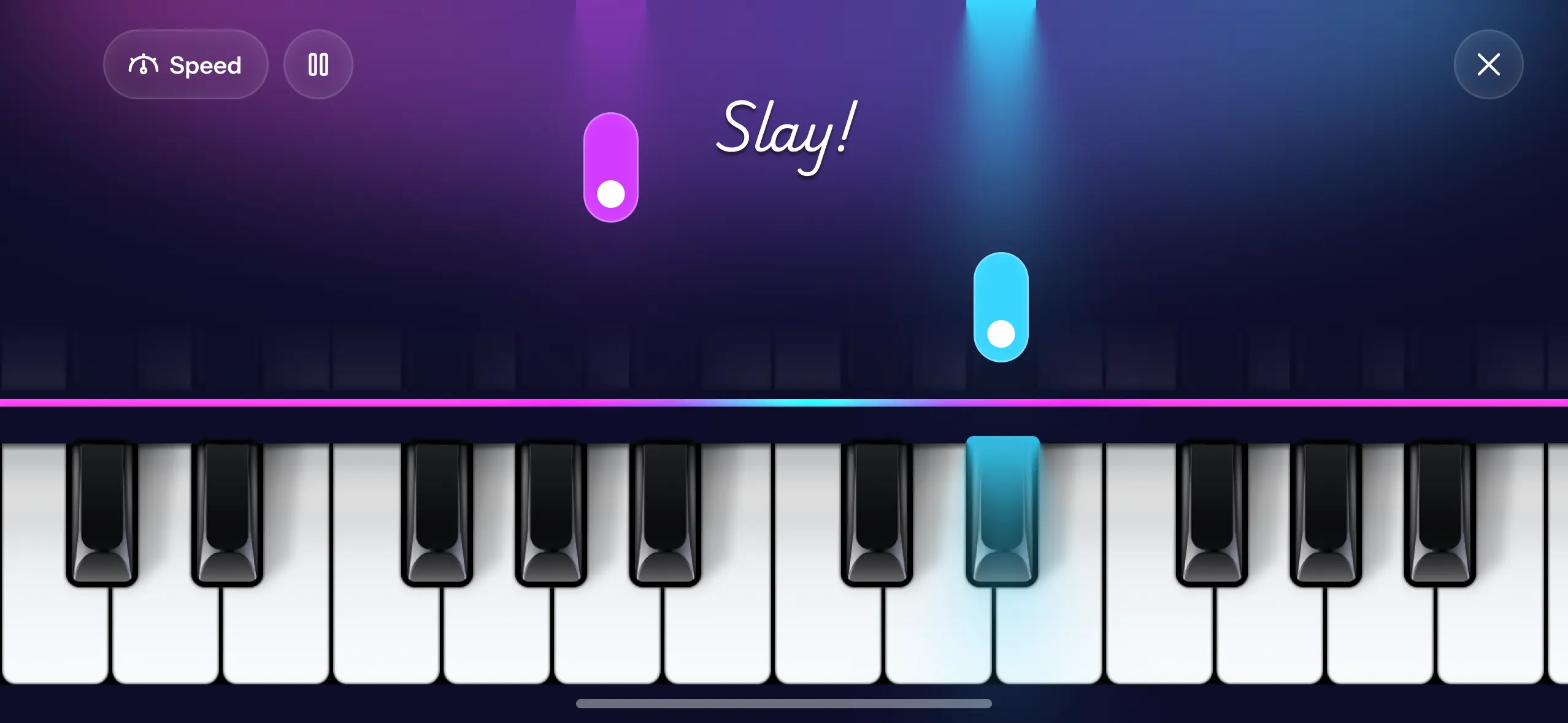
That is a different kind of app. Piano Aura is free to download and sits in this lane: its Piano Game mode drops falling notes down the screen so you press the matching key, no sheet music and no lessons, and you can play recognizable pieces like Clair de Lune, Canon in D, and The Entertainer in your first sitting. You can slow a song to 0.5x while you learn it and speed it back up. Alongside that, the Freestyle keyboard and Create Music let you improvise and record, which the lesson apps mostly do not. Free alternatives to Simply Piano covers this route in more detail.
When free stops being enough
This comparison usually gets framed as a price question. In practice it is a capability question. Almost nobody moves from a free app to a paid one because the paid one got cheaper. They move because they hit a wall, and the wall is usually specific: they want something that tells them what to practise next, or that listens to their acoustic piano and corrects individual notes, or that carries a piece the free catalog does not.
What you are paying for in all three apps above is correction and sequencing. If you have not yet hit a wall that correction and sequencing would fix, a subscription buys you something you cannot use yet, and it will sit unopened the way most of them do.
So try to finish this sentence: "right now I cannot ___." If you can finish it, pick whichever of the three fixes that exact thing. If you cannot, stay free a while longer and come back when you can.
How to actually decide
Ask one question: would you finish a 30-lesson course? If yes, pick by feel. Total beginner who wants hand-holding, Simply Piano. Motivated by specific songs, flowkey. Practice-game person or multi-instrument, Yousician. If the honest answer is no, skip the subscription and start with a free play-and-record app instead. The best free piano apps for iPhone breaks down that side.
FAQ
Which is cheapest? Prices change and vary by country, so check the App Store for current numbers. All three are subscriptions, usually billed yearly, with a short free trial. Cost is the weakest way to choose between them, because they sit within range of each other and you will abandon whichever one you picked if it does not match how you learn. A free play-and-record app avoids the subscription entirely for the core loop of playing and recording.
When is a subscription actually worth paying for? When you can name what you cannot currently do. "I can play a piece but I have no idea what to learn next" and "I keep playing the same bar wrong and cannot hear why" are both problems a lesson app solves well. "I want to play more songs" usually is not, because a free app already does that.
Can I learn piano without a subscription? Yes, if your goal is to play songs and make music rather than complete a graded course. Falling-note apps and free tutorials cover a lot of ground. A subscription mainly buys you structure and correction.
Do these apps work with a MIDI keyboard? Yes. Simply Piano, flowkey and Yousician can all listen through the microphone or take input from a connected digital keyboard, and the setup screen in each app shows which connection it supports on your device. If you own a digital piano, connect it: a cable sends the exact notes you played, while a microphone has to work them out from sound.
Can the microphone hear chords? Usually, but this is where listening apps are weakest. Several notes struck at once on an acoustic piano are harder to separate by ear than one note at a time, and "it did not hear my chord" is a recurring complaint about lesson apps in general. A connected keyboard avoids the problem entirely; with an acoustic piano, a quiet room and a tuned instrument help most.
Do I need a keyboard? For Simply Piano, flowkey, and Yousician you can use an acoustic piano through the mic or a MIDI keyboard, and they work best with real keys. A screen-based app like Piano Aura runs entirely on the phone or iPad with no extra gear, and an iPad is the better screen for it if you have one.
Piano Aura is free on the App Store if you want to start playing before you decide whether a lesson subscription is worth it.