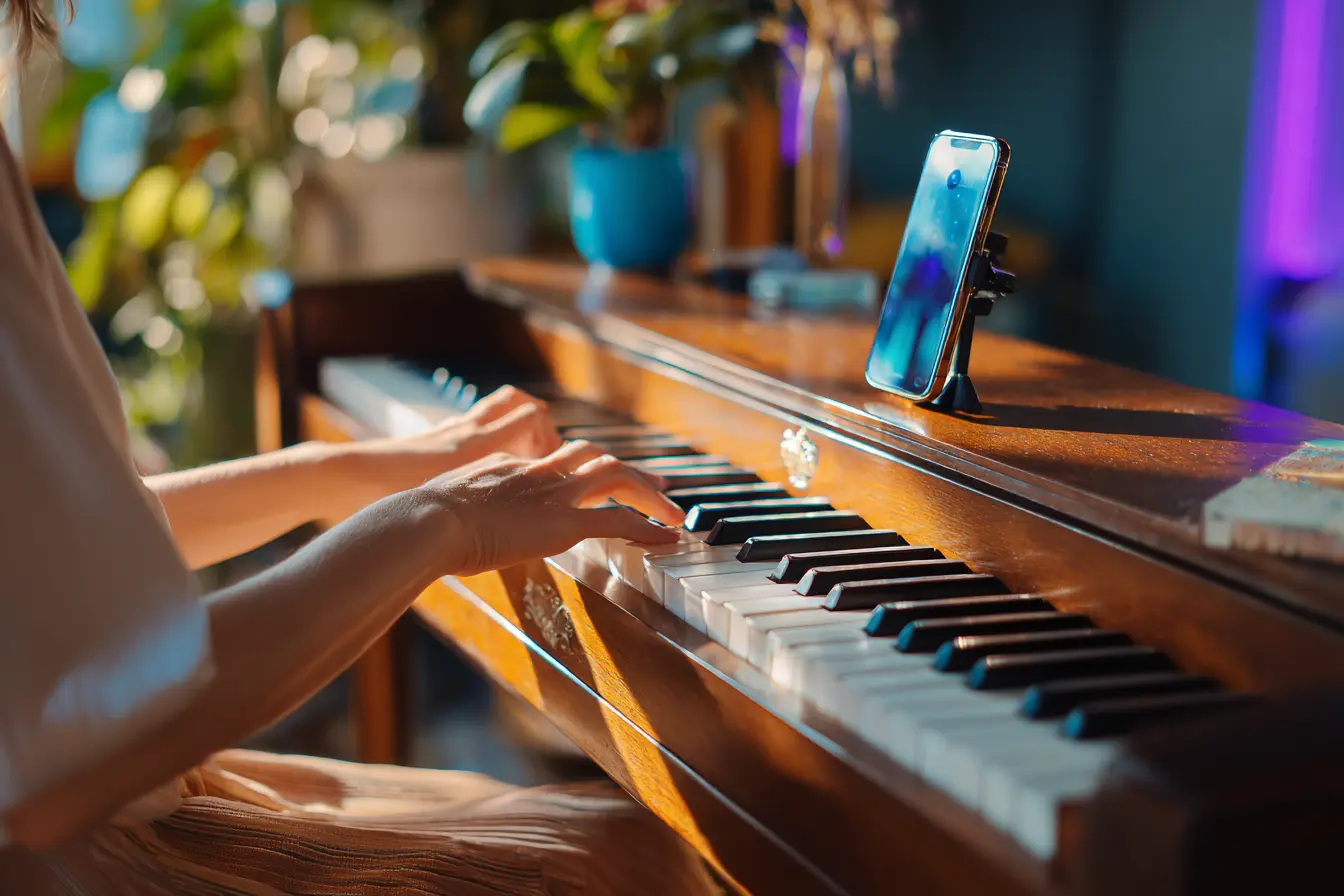
Den hurtigste måde at optage dig selv, mens du spiller klaver, på en iPhone afhænger af, hvad du spiller på. På et rigtigt akustisk klaver er den gratis Voice Memos-app den hurtigste mulighed. På et digitalt klaver skal du tilslutte det til GarageBand for den reneste lyd. Hvis du spiller på selve telefonens eller iPadens skærm, har du brug for en app som Piano Aura, der laver lyden og optager den i samme øjeblik, hvilket også helt undgår rumstøj, fordi der ikke er nogen mikrofon involveret. Her er, hvordan hver enkelt faktisk er.
Du sætter dig ned, piller rundt i et par minutter, og så sker det. Du spiller noget, der faktisk lyder godt. Og nu vil du beholde det.
Problemet med gode takes er, at de er glatte. Du prøver at spille den igen, og den er allerede væk, erstattet af en dårligere version, som du vil være irriteret over resten af dagen. Din iPhone kan fange disse øjeblikke, før de slipper væk. Der er et par måder at gøre det på, og de er ikke lige gode, så her er, hvordan hver enkelt faktisk er.
Hvis du spiller på et rigtigt klaver eller keyboard
Den hurtigste mulighed er allerede på din telefon: Voice Memos. Ét tryk, og det optager gennem den indbyggede mikrofon. Den mikrofon er hagen. Den hører også rummet, så du får dit spil plus knirket fra bænken, trafikken udenfor og hvem som helst, der vasker op i det næste rum. Til en hurtig huskeseddel om en idé er det fint. Til noget, du vil sende til en person, så sæt telefonen tæt på klaveret, men ikke oven på det (kassen vibrerer, og du optager en dyb rumlen), og sluk for alt larmende i nærheden.
Hvis du spiller på et digitalt klaver med en USB- eller linjeudgang, kan du gøre det meget bedre. Tilslut det til iPhonen med en kameraadapter eller et lille lydinterface og optag direkte ind i GarageBand. Mere opsætning, langt renere lyd, intet rum i optagelsen overhovedet.
Hvis du spiller på selve telefonen
Her holder Voice Memos op med at hjælpe. Hvis der ikke er noget klaver i rummet, og du spiller på et skærmklaviatur, har mikrofonen intet akustisk at fange, og skærmtryk er ikke musik. Du har brug for en app, der laver lyden og optager den i samme øjeblik.
Det er grunden til, at vi byggede Piano Aura, som vi gjorde. Du åbner det frie klaviatur, vælger et instrument, trykker på optag og spiller. Appen fanger lyden direkte, så der er ingen rumstøj og ingen ekstra kabler. Når du stopper, kan du give taken et navn, beholde den og sende den til nogen eller eksportere lydfilen.
Detaljerne er værd at kende, før du læner dig på nogen app til det her. En enkelt take kan vare op til 30 minutter. Du kan gemme op til 99 takes på enheden og omdøbe eller slette dem fra listen Mine optagelser. Og de eksporteres som M4A-lydfiler, samme format som Voice Memos bruger som standard, så det, du sender, åbner i den anden ende uden en konverter.
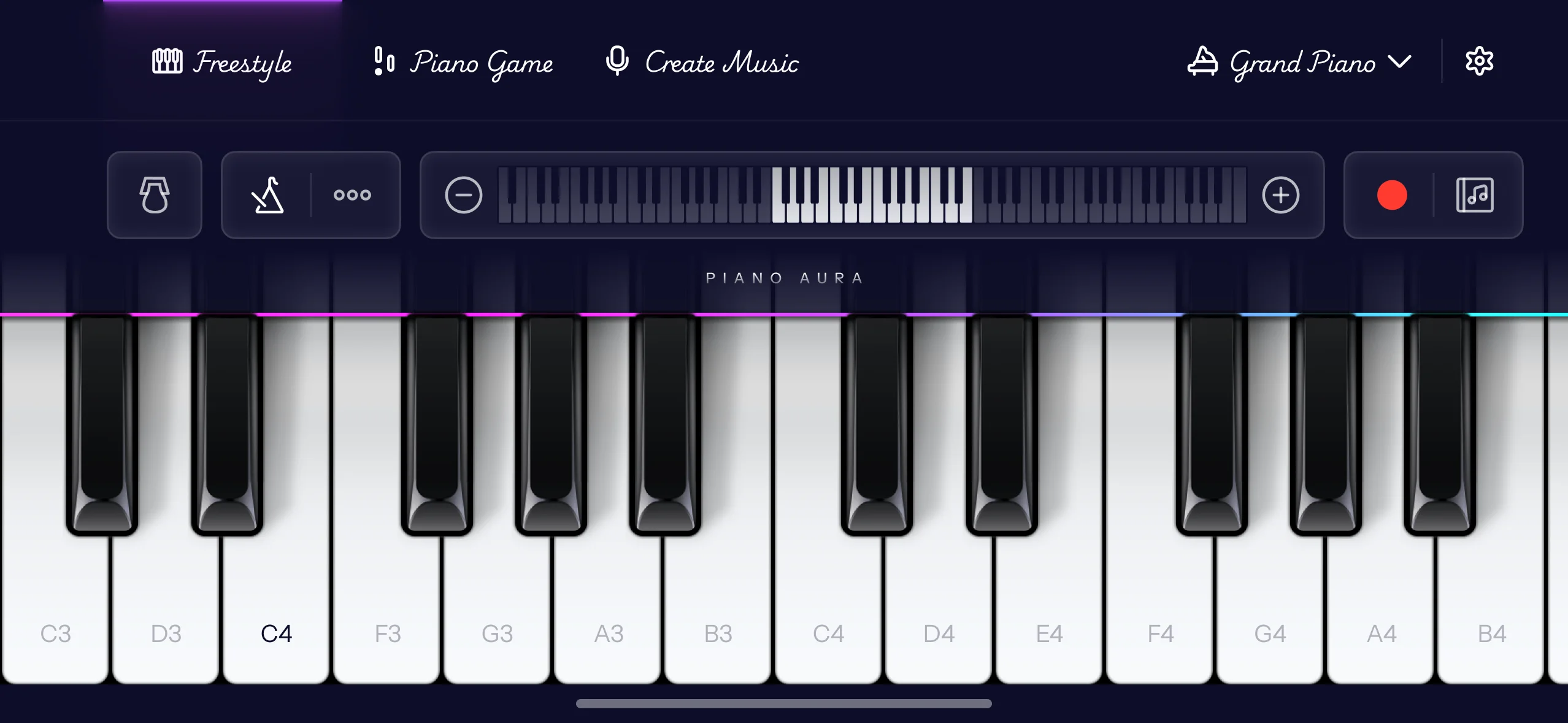
Der er et dybt bibliotek af instrumenter at spille og optage med, og det bliver ved med at vokse, med nye lyde tilføjet hver uge, fra flygler og el-klaverer til orgler, et legetøjsklaver og en xylofon. Et par er forbeholdt betalingsplanen. Hvis du vil have et klikspor, mens du optager, er metronomen en af premium-funktionerne, og den hjælper mere, end du skulle tro, når du forsøger at holde takten.
Byg den til en sang, ikke bare et klip
At optage én take er begyndelsen. Hvis du vil gøre den idé til noget fyldigere, har Piano Aura en separat tilstand til at skabe musik, hvor du bygger den op.
Du arbejder i lag. Læg en venstrehåndspart ned, optag så en melodi oven på den på et andet instrument, og tilføj derefter endnu en linje ovenpå. Hvert lag er sit eget spor, så du kan spille en part, lytte tilbage og genindspille netop den, hvis den ikke landede. Dine noder dukker op som blokke på en tidslinje, og du kan gribe enhver af dem for at flytte, ændre størrelse på, duplikere eller slette den, så en enkelt forkert node aldrig er en grund til at starte det hele forfra.
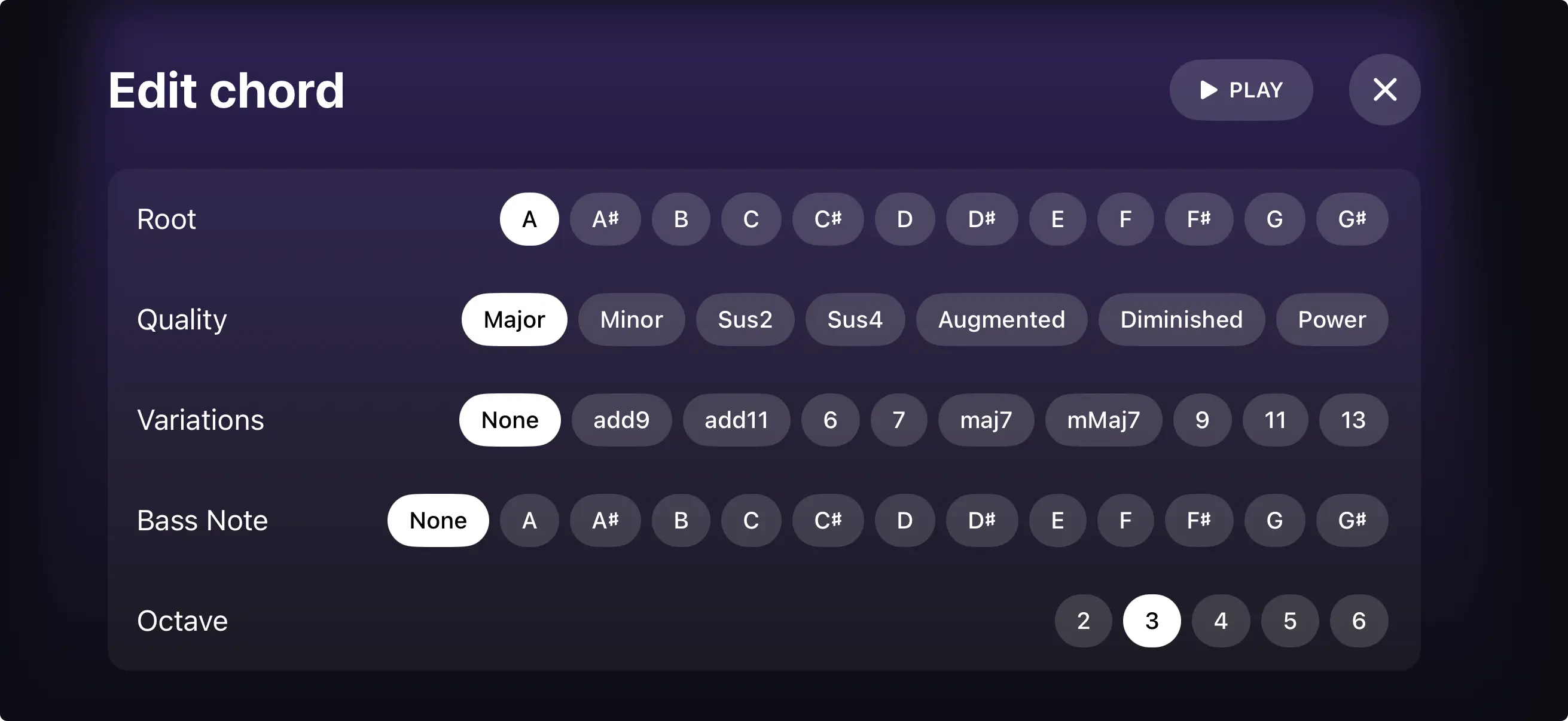
Hvis akkorder er den del, der sinker dig, klarer Chord Builder den svære del. Du vælger en grundtone og en kvalitet, dur, mol, en septim, en sus-akkord, hvad du end er ude efter, og den bygger formen for dig. Du kan høre den, før du binder dig, lægge en basnode nedenunder for en slash-akkord og flytte den op eller ned en oktav. Det er en rigtig akkordprogression, uden at du skal kunne hver eneste lægning udenad.
Når det lyder rigtigt, så giv den et navn, vælg et cover, og del. Musikskaberen gør din sang til en video med dit coverbillede på, så den rejser rent gennem Beskeder, AirDrop eller hvor som helst ellers, og den, du sender den til, trykker bare på afspil.
Hvordan reducerer du baggrundsstøj, når du optager klaver på en telefon?
Det er den enkeltstående største ting, der adskiller en telefonoptagelse, der lyder amatøragtig, fra en, der ikke gør, og det meste af løsningen er gratis.
Optag i et blødt rum. Gardiner, et tæppe, en sofa, selv en seng i rummet suger alle de hårde reflektioner op, der får telefonoptagelser til at lyde tynde og kassede. Et køkken med fliser er det værst mulige sted; et soveværelse med gulvtæppe er et af de bedste.
Få telefonen tættere på klaveret, men aldrig oven på det. Jo tættere mikrofonen er på strengene, jo mere af dit spil og jo mindre af rummet opfanger den. At lægge telefonen på klaverkassen er den klassiske fejl: hele instrumentet vibrerer, og du optager en dyb rumlen under alting.
Få de åbenlyse syndere væk, før du starter. Køleskabe, ventilatorer, aircondition og åbne vinduer ender alle i taken, og ingen mængde redigering fjerner dem rent. Slå Flytilstand til, så en notifikation ikke lander midt i din bedste gennemspilning.
Hold øje med niveauerne, så de høje passager ikke klipper. Klipning er den skarpe knasen, når en node er for høj for mikrofonen, og i modsætning til rumstøj er den permanent bagt ind. Hvis dit fortissimo lyder knasende, så flyt telefonen lidt tilbage, og spil taken igen.
Og hvis du spiller på skærmen i stedet for på et rigtigt klaver, gælder intet af dette. Appen fanger lyden internt, så der er ingen mikrofon, intet rum og slet ingen støjbund. Det er den ærlige fordel ved at optage i appen.